Allavsoft vs. 4K Video Downloader Plus (2026): Which Downloader Wins?
Head-to-head comparison between Allavsoft and 4K Video Downloader Plus. Compare supported websites (1,000+ niche portals vs. mainstream), built-in format conversion and free-version limits. Research-based, not lab-tested.
Choosing a desktop video downloader in 2026 comes down to where your target videos are hosted and what format you need them in after downloading. Two of the most popular graphical tools—Allavsoft and 4K Video Downloader Plus—approach this task from completely different angles.
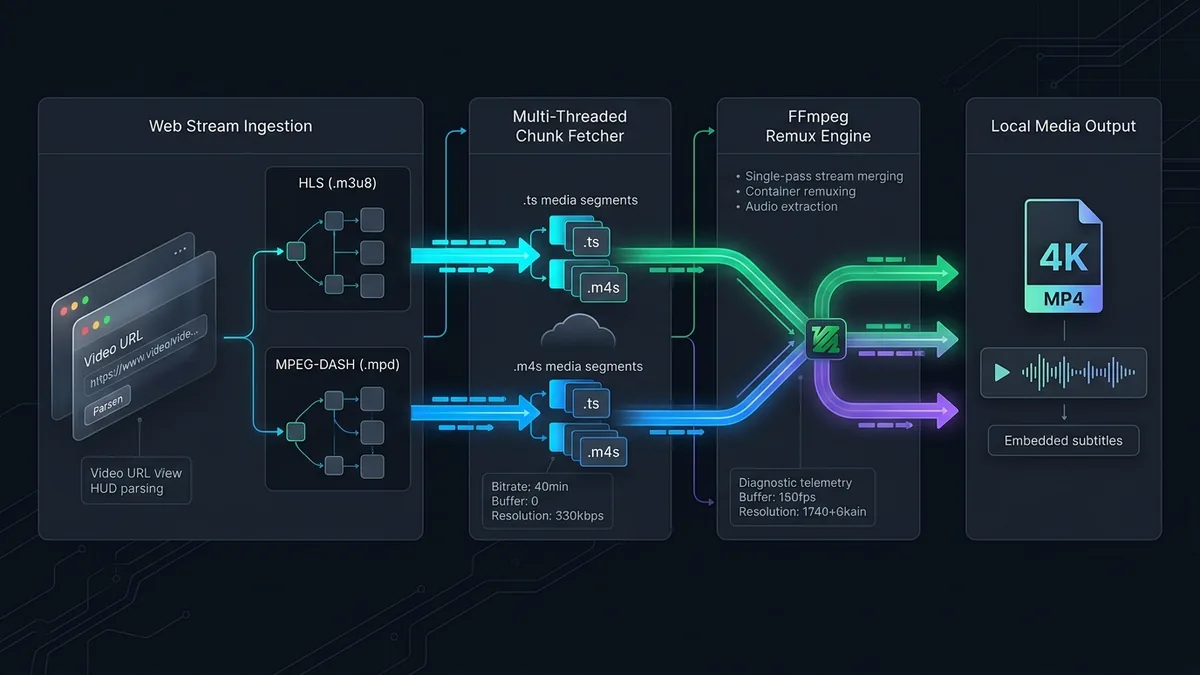
While 4K Video Downloader Plus offers a sleek, modern interface optimized for high-speed YouTube, Twitch, and Vimeo remuxing, Allavsoft acts as a broad-spectrum 2-in-1 niche website extractor and 150-format video/audio transcoder. Here is how they compare, based on what the vendors and our reviews state.
Choose Allavsoft If:
- You download from niche educational sites, university lecture portals, regional news sites, or public audio hosts where YouTube-only tools fail.
- You need a built-in converter that exports directly into Apple ProRes, AVI, MOV, WAV, or 320 kbps MP3 in one pass.
- You want a built-in fallback screen recorder for non-standard embedded web players.
Choose 4K Video Downloader Plus If:
- 95% of your downloads come from YouTube, Twitch VODs, Vimeo, Bilibili, TikTok, or SoundCloud.
- You want a modern dark-mode UI with a 1-click Smart Mode and a built-in login browser for private playlists.
- You want a usable 10 downloads/day free version with zero video length restrictions.
Head-to-Head Comparison Matrix
| Feature / Metric | Allavsoft | 4K Video Downloader Plus | Category Winner |
|---|---|---|---|
| Free Version Quota | 5 Videos Total (5-min conversion cap) | 10 Downloads / Day (Full length) | 4K Video Downloader Plus |
| Supported Websites | 1,000+ Niche & Mainstream Sites | ~15 Mainstream Video Platforms | Allavsoft (Broader site support) |
| Built-in Format Converter | Yes (150+ Video & Audio Codecs) | No (Direct MP4/MKV/MP3/OGG remux) | Allavsoft |
| 4K / 8K 60fps AV1 Support | Yes | Yes (With explicit codec picker) | Tie |
| Auto Channel Subscriptions | No | Yes (Auto-downloads new uploads) | 4K Video Downloader Plus |
| Fallback Screen Recorder | Yes (Built-in capture window) | No | Allavsoft |
1. Website Compatibility: 15 Giants vs. 1,000+ Niche Portals
- 4K Video Downloader Plus deliberately restricts its parser engine to roughly 15 high-traffic platforms (YouTube, Twitch, Vimeo, SoundCloud, Bilibili, Facebook, Instagram, TikTok, Dailymotion, and Likee). If you paste a link from an academic course portal or a regional European broadcaster, it immediately returns an “Unsupported Link” error.
- Allavsoft maintains generic HLS (
.m3u8), MPEG-DASH (.mpd), and RTMP stream sniffers alongside hundreds of site-specific scripts. Allavsoft lists a much larger set of supported sites. We have not verified which individual sites work, so check the vendor’s site list before relying on it.
2. Remuxing vs. Full Format Transcoding
- 4K Video Downloader Plus is a pure stream remuxer. It grabs the exact H.264, VP9, or AV1 video stream and AAC/Opus audio stream from the server and packages them into an
.mp4or.mkvfile in seconds. However, if your older car stereo or video editor cannot read VP9/Opus, it cannot transcode the video into legacy formats. - Allavsoft embeds a full FFmpeg transcoding suite. You can paste a web link and tell Allavsoft to output directly to Apple ProRes for Final Cut Pro, DNxHD for Avid, AVI/WMV for legacy PowerPoint presentations, or 320 kbps CBR MP3 in a single automated step.
Final Verdict: Which Should You Choose?
- Best for YouTube, Twitch & Everyday Users: 4K Video Downloader Plus
With a modern dark-mode UI, an integrated Chromium login browser, automated channel subscriptions, and a generous 10-downloads-per-day free tier, 4K Video Downloader Plus is the better fit for mainstream platforms. - Best for Niche Educational Sites & All-in-One Conversion: Allavsoft
If you regularly archive courses, lectures, or media from smaller websites outside the YouTube ecosystem—or if you need instant conversion into 150+ editing and device formats—Allavsoft remains a uniquely versatile utility.
Disclosure
Some outbound links on this page may be affiliate links. If you buy through them, UtilRank may earn a commission at no extra cost to you. Commissions do not influence which tools are included or how they are described. Read our affiliate disclosure and editorial policy.
Sources and verification
The tool descriptions come from the UtilRank reviews below, which in turn use the vendors’ own descriptions.
Looking for in-depth evaluations of the tools mentioned in this guide? Check out our hands-on reviews: