Video Downloaders & Converters (2026 Guide): Allavsoft, 4K Video Downloader Plus, HandBrake, UniConverter, CloudConvert
A research-based overview of five video downloaders and media converters in 2026: Allavsoft, 4K Video Downloader Plus, HandBrake, UniConverter and CloudConvert. Built from vendor descriptions, not lab-tested.
No single media utility handles every workflow well. A tool engineered to parse encrypted HLS/DASH video streams from niche lecture portals operates very differently from an open-source local transcoder built to compress 4K Blu-ray remuxes into 10-bit AV1.
To help you pick the exact tool for your operating system and budget without wasting money on overlapping software, we tested the top five desktop and web media utilities in 2026 across download compatibility, hardware GPU encoding speed, audio extraction fidelity, and licensing transparency.
Quick Picks by Primary Use Case
- Niche websites and direct audio/format conversion: Allavsoft
- YouTube, Twitch and a modern interface: 4K Video Downloader Plus
- A free, open-source local video compressor: HandBrake
- An all-in-one suite (remux, editor, recorder): Wondershare UniConverter
When to Skip Paid Software Entirely
- If you only compress videos already stored on your hard drive, you may not need a paid converter: HandBrake is a free, open-source encoder.
- If you are comfortable running terminal scripts, open-source yt-dlp + FFmpeg is a free option.
- If you only convert small files occasionally, a browser converter such as CloudConvert has a free tier; check its current limits.
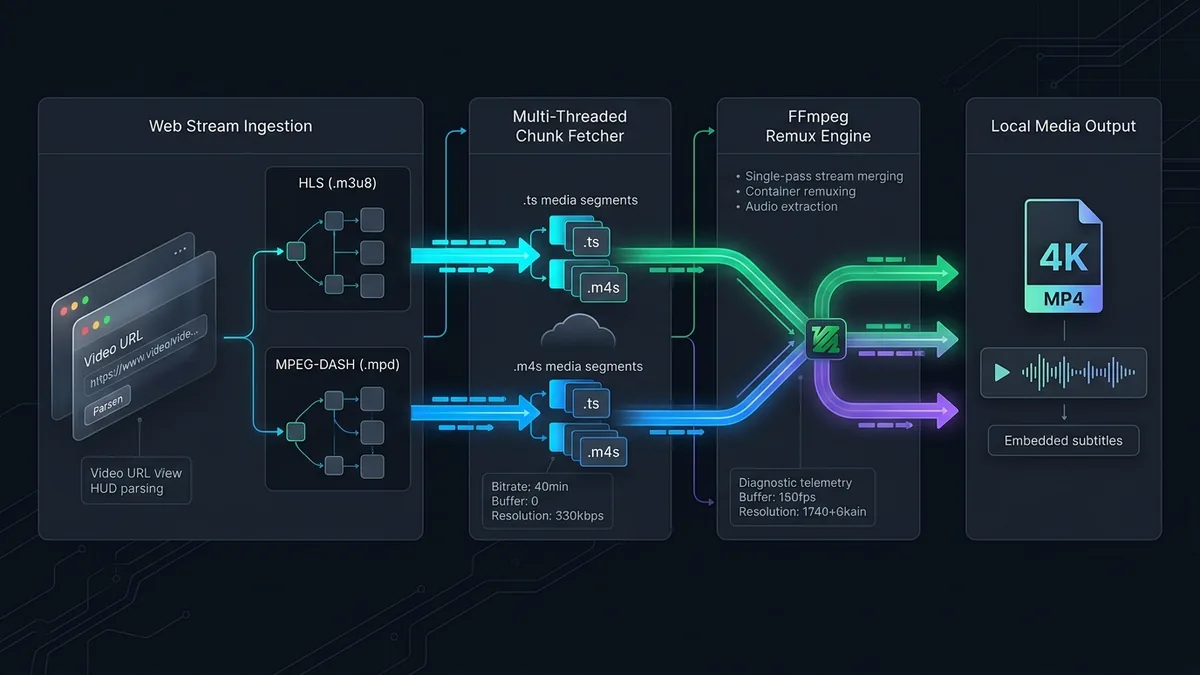
Overview: Five Video Utilities (2026)
| Software / Tool | Platforms | Primary strength (vendor description) |
|---|---|---|
| HandBrake | Win, Mac, Linux | Local video compression; free and open source |
| 4K Video Downloader+ | Win, Mac, Linux, Android | YouTube and Twitch downloads, built-in login browser |
| CloudConvert | Web browser (all OS) | Browser-based conversion of many file formats |
| Wondershare UniConverter | Windows, macOS | Conversion, compression, editor and recorder |
| Allavsoft | Windows, macOS | Downloads from many sites plus a format converter |
“Not stated” is not the same as “absent”: check the vendor’s page for current limits and pricing.
The five tools in more detail
1. Allavsoft: niche portals and one-pass format conversion
While modern downloaders often restrict their parsers to YouTube and TikTok, Allavsoft maintains generic HLS/DASH stream extractors for over 1,000 educational portals, regional broadcasters, and audio hosting sites. Crucially, it pairs its downloader with a full FFmpeg converter, letting you grab a web stream and output directly to Apple ProRes, AVI, MOV, or 320 kbps MP3 in a single pass.
- Read our full Allavsoft Review (2026).
2. 4K Video Downloader Plus: YouTube, Twitch and private feeds
For users whose workflow centers on mainstream platforms (YouTube, Twitch VODs, Vimeo, SoundCloud, Bilibili), 4K Video Downloader Plus offers the cleanest modern experience. Its 1-click Smart Mode, integrated Chromium login browser for private/age-restricted playlists, and generous 10-per-day free tier are its listed strengths.
- Read our full 4K Video Downloader Plus Review.
3. HandBrake: free open-source video transcoder
If your video files are already on your computer and you need to shrink a 30 GB 4K recording down to 2 GB without visible quality loss, HandBrake is a common choice. Supporting 10-bit SVT-AV1, x265, NVIDIA NVENC, and Apple VideoToolbox with zero ads or watermarks, it is a free tool worth knowing.
- Read our HandBrake Review.
4. Wondershare UniConverter: all-in-one toolbox
Because HandBrake always re-encodes video tracks, it cannot perform instant container swaps. Wondershare UniConverter fills that gap with a High-Speed Lossless Mode that remuxes between container formats without re-encoding, alongside a visual target-megabyte compressor, 4K screen recorder, timeline trimmer, and DVD burner.
- Read our full Wondershare UniConverter Review.
5. CloudConvert: browser-based converter
When working with files under 300 MB—or converting CAD drawings, vector graphics, e-books, and audio tracks on an iPad or Chromebook—CloudConvert eliminates desktop software entirely while respecting strict ISO 27001 German data privacy standards.
- Read our full CloudConvert Review.
Disclosure
Some outbound links on this page may be affiliate links. If you buy through them, UtilRank may earn a commission at no extra cost to you. Commissions do not influence which tools are included or how they are described. Read our affiliate disclosure and editorial policy.
Sources and verification
This guide summarizes the UtilRank reviews linked above, which in turn use the vendors’ own descriptions. Read the individual reviews for their sources.
Looking for in-depth evaluations of the tools mentioned in this guide? Check out our hands-on reviews: