GearUP Booster for Fortnite: What the Vendor Says (and What It Doesn't)
What GearUP Booster's own pages say about Fortnite lag, packet loss and setup. Research-based, not lab-tested.

GearUP Booster is a PC game booster that says it lowers ping and packet loss. Its own Fortnite guide walks through a four-step setup for it. The vendor runs a dedicated Fortnite page, but none of the pages we read show a measured Fortnite result, and the supported-games list itself did not load when we read it. This guide explains what is stated, what is not, and what to try first.
How this guide was made
- This is a research-based guide, not a lab test. We did not run any test, so there are no benchmark numbers here.
- Every claim comes from GearUP's own pages, listed at the bottom, as read on 21 October 2026. Where the vendor does not state something, we say so.
- We do not publish prices. See GearUP's own site for current plans.
Quick answers
- What is it? A PC game booster that the vendor says uses "smart routing" to find a faster network path.
- Does it support Fortnite? The vendor has a dedicated Fortnite page, and its Windows page names Fortnite in the page title. The full supported-games list did not load for us, so the list entry itself is not confirmed. The Windows page claims "3,000+ Games supported".
- Is there a free trial? The Windows page says "Free trial Available"; its length and limits are not stated.
- Does it work on consoles? A separate product, HYPEREV, targets consoles. Fortnite support for it is not stated.
- Is there proof it works? No measured Fortnite results are published on the pages we read.
Sources: GearUP Booster for Windows · GearUP: Fortnite page · GearUP: how to fix Fortnite lag
What lag, packet loss and disconnects mean
The vendor’s Fortnite blog post separates three problems:
- Lag: a delay between your input and the game’s response. The post names a poor internet connection, network congestion or outdated network drivers as causes.
- Packet loss: data packets lost during transmission. Named causes include congestion, hardware failure or outdated drivers.
- Disconnections: the player’s connection to the game server is lost. Named causes include a poor connection, congestion or server issues.

Sources: GearUP: how to fix Fortnite lag
Try these first (no booster needed)
The same vendor page mentions basic fixes in several of its sections. Most come before it first brings up its own product; the driver advice comes in the closing section.
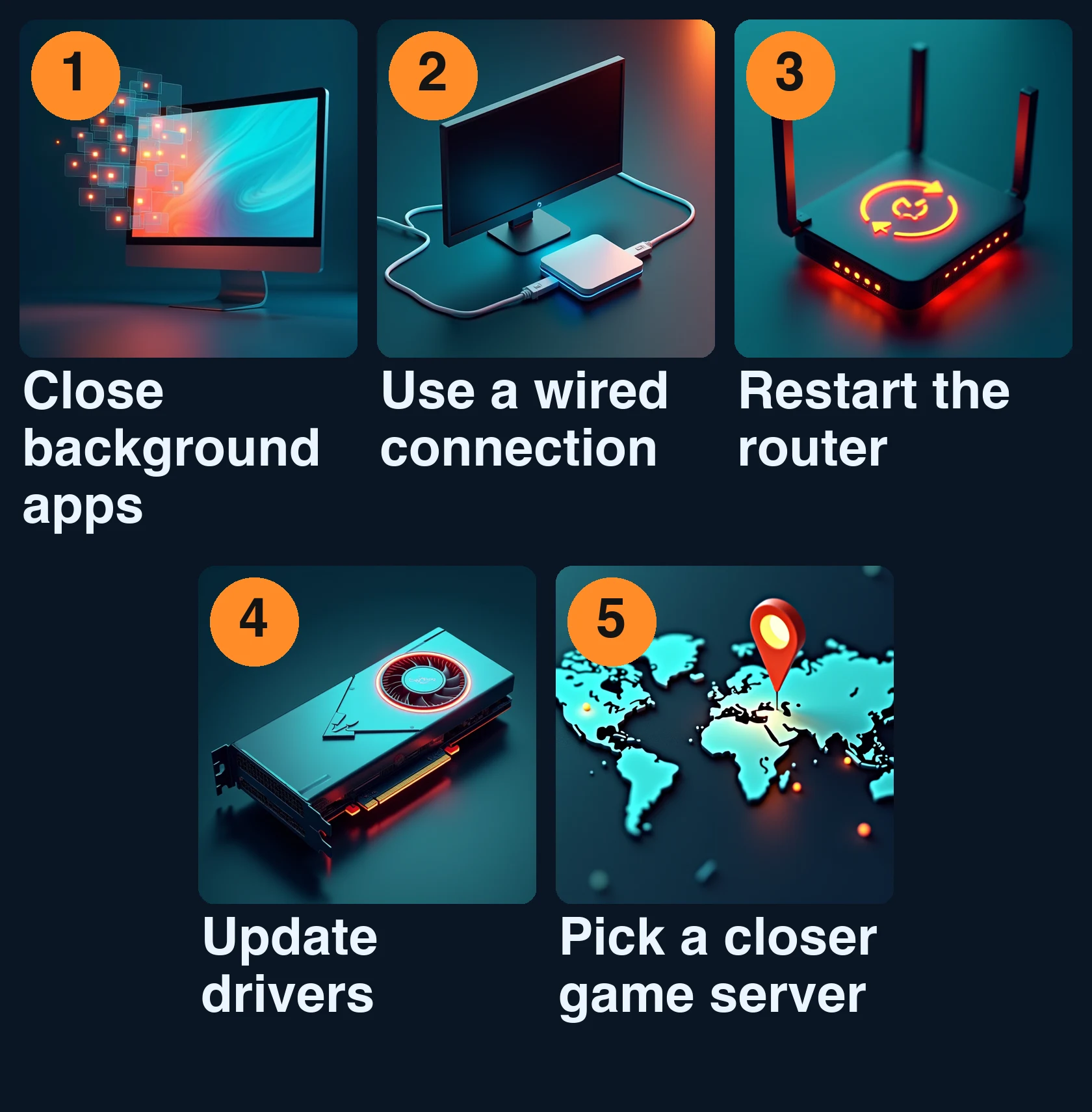
- Close other programs that use the internet.
- Use a wired connection instead of a wireless one.
- Reset the router, check that it is properly configured, or contact your internet provider.
- Update drivers and make sure the hardware meets the game’s minimum requirements.
- Connect to a game server closer to your location.
Sources: GearUP: how to fix Fortnite lag
What GearUP Booster says it does
- Systems: The Windows page lists Windows 7, 8, 10 and 11 (32 or 64-bit), 200 MB of available space and a broadband connection. The vendor’s Fortnite page lists many platforms (Windows, iOS, Android, PlayStation, Xbox, Nintendo Switch, Steam Deck, PICO, Oculus Quest) but does not say which games run on which. The Fortnite blog post says it can be installed on Windows computers or mobile phones.
- Setup: The Fortnite page says “no manual network setup required”.
- Method: The Windows page says “Smart routing finds your fastest path automatically” and gives no detail. How it works is not stated.
- Features (blog post): The Fortnite blog post says it works by optimizing network settings, offers real-time network monitoring, and names ping optimization, traffic shaping and firewall optimization as features.
Sources: GearUP Booster for Windows · GearUP: Fortnite page · GearUP: how to fix Fortnite lag
The vendor’s four steps for Fortnite
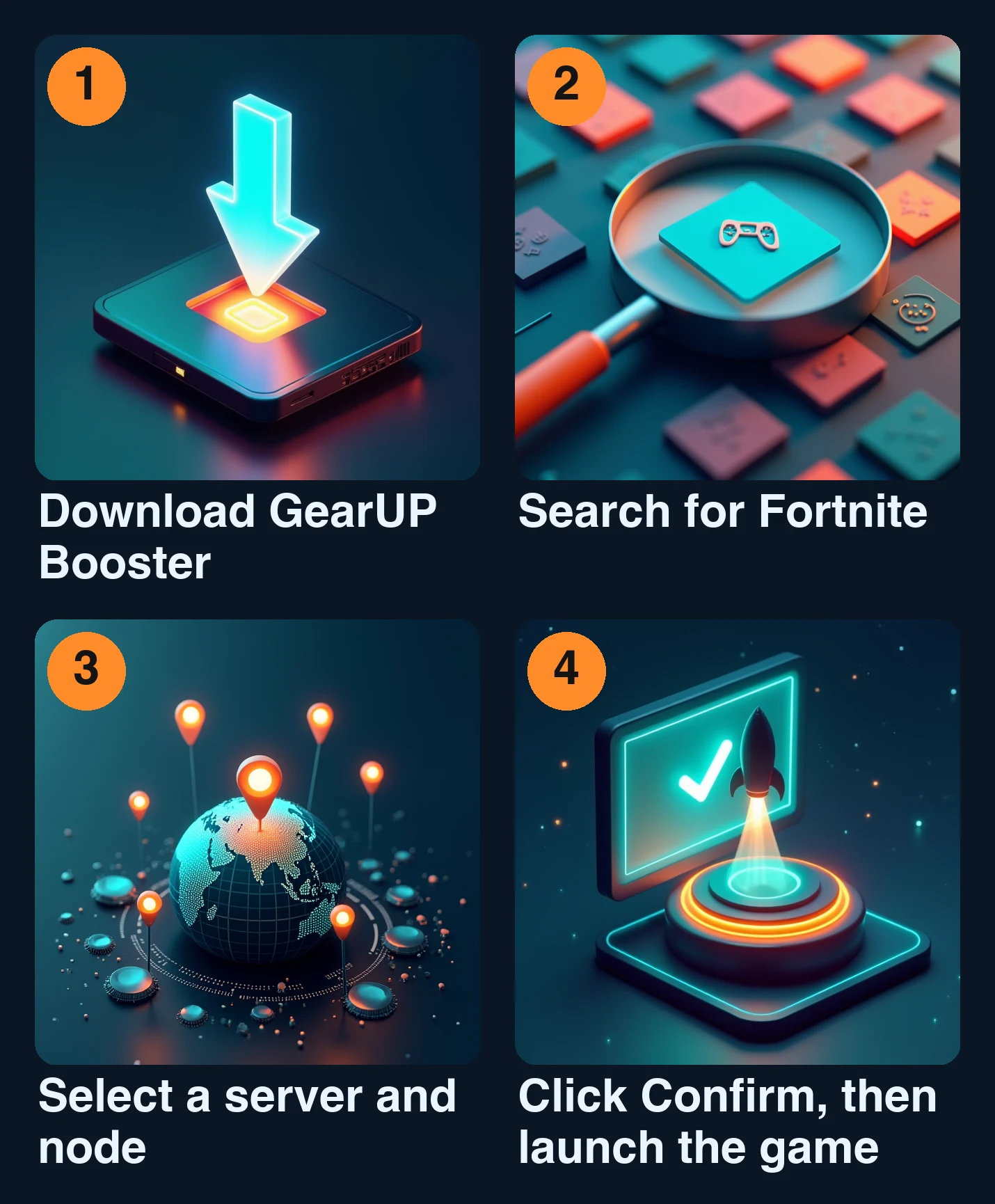
From the Fortnite blog post:
- Download GearUP Booster.
- Search for Fortnite.
- Select a server and node.
- Click “Confirm”, then launch the game.
Sources: GearUP: how to fix Fortnite lag
Consoles: a different product
For consoles the vendor sells HYPEREV, described as a console booster that “also doubles as your router”, connected to both your router and your console. Listed platforms include PlayStation, Xbox, Nintendo Switch and Steam Deck. Fortnite appears only inside a user testimonial; Fortnite-specific support is not stated. Latency figures in testimonials come with no measured data.
Sources: GearUP HYPEREV
Who should consider it?
- Look at it if you play Fortnite on Windows, already tried the basic fixes, and still have lag you suspect is route-related.
- Be careful if you play on console: check HYPEREV’s games page yourself.
- Skip it if your problem is a weak home setup (Wi-Fi, router, drivers); the basic fixes address that first.
Sources: GearUP Booster for Windows · GearUP: how to fix Fortnite lag
For more on this vendor, read our GearUP Booster review and the GearUP Booster vs. ExitLag comparison.
See GearUP's current plans and what the free trial includes on the vendor's site. (affiliate link)
Visit GearUP Booster →FAQ
Is GearUP Booster free? The Windows page says a free trial is available; its length and limits are not stated. See the vendor’s pricing page for current plans.
Does it work on Mac? Not stated. The Windows page lists only Windows versions and never mentions macOS.
Will it lower my ping in Fortnite? The vendor claims so, but publishes no measured results. Not stated.
Is it safe? We make no safety judgment; the vendor’s pages do not discuss risks or side effects.
Sources: GearUP Booster for Windows · GearUP: how to fix Fortnite lag
Disclosure
Links to GearUP’s own pages in this guide, including the source links, are affiliate links: if you buy after clicking one, UtilRank may earn a commission. Some other outbound links on this page may be affiliate links too. If you buy through them, UtilRank may earn a commission at no extra cost to you. Commissions do not influence which tools are included or how they are described. Read our affiliate disclosure.
Sources and verification
Read on 21 October 2026. All sources are the vendor’s own pages.
- GearUP Booster for Windows (gearupbooster.com/windows/)
- GearUP Fortnite page (gearupbooster.com/camp/fortnite/)
- How to fix Fortnite lag (gearupbooster.com/blog/how-to-fix-fortnite-lag.html) (page says “Last updated 23 Oct 2023”, so it is old)
- HYPEREV (gearupbooster.com/hyperev/)
The supported-games page (/games/) showed only section headings and “Loading…” when we read it, and the Fortnite game pages (/games/fortnite/, /games/switch-fortnite/) returned only generic content, so none of them were used. Pricing information was deliberately left out.
Looking for in-depth evaluations of the tools mentioned in this guide? Check out our hands-on reviews: