yt-dlp vs. GUI Video Downloaders (2026): Command Line vs. Desktop Apps
A comparison between the open-source yt-dlp command-line tool and graphical desktop downloaders like Allavsoft and 4K Video Downloader Plus.
Anyone researching how to download high-resolution 4K/8K web videos or archive online playlists in 2026 inevitably encounters a divide between two camps: power users who swear by the open-source command-line tool yt-dlp, and everyday users who prefer polished graphical (GUI) applications like 4K Video Downloader Plus or Allavsoft.
In this breakdown, we compare raw terminal extraction with graphical downloaders, based on what each project and vendor states, to help you decide whether convenience is worth paying for.
Use Open-Source yt-dlp (CLI) If:
- You are comfortable opening Windows PowerShell, Command Prompt, or macOS Terminal and passing command flags.
- You want a 100% free, open-source engine that receives community patches within hours whenever streaming sites change their APIs.
- You want advanced automation like SponsorBlock chapter stripping, custom regex filename templates, and cron-job archiving.
Use a Paid GUI Downloader (Allavsoft / 4K+) If:
- You want a visual, point-and-click queue manager where you can select checkboxes for specific playlist videos and subtitle languages.
- You hate manually configuring system
PATHenvironment variables, Python dependencies, and externalffmpeg.exebinaries. - You want a built-in browser for logging into private accounts or a fallback screen recorder for non-standard video players.
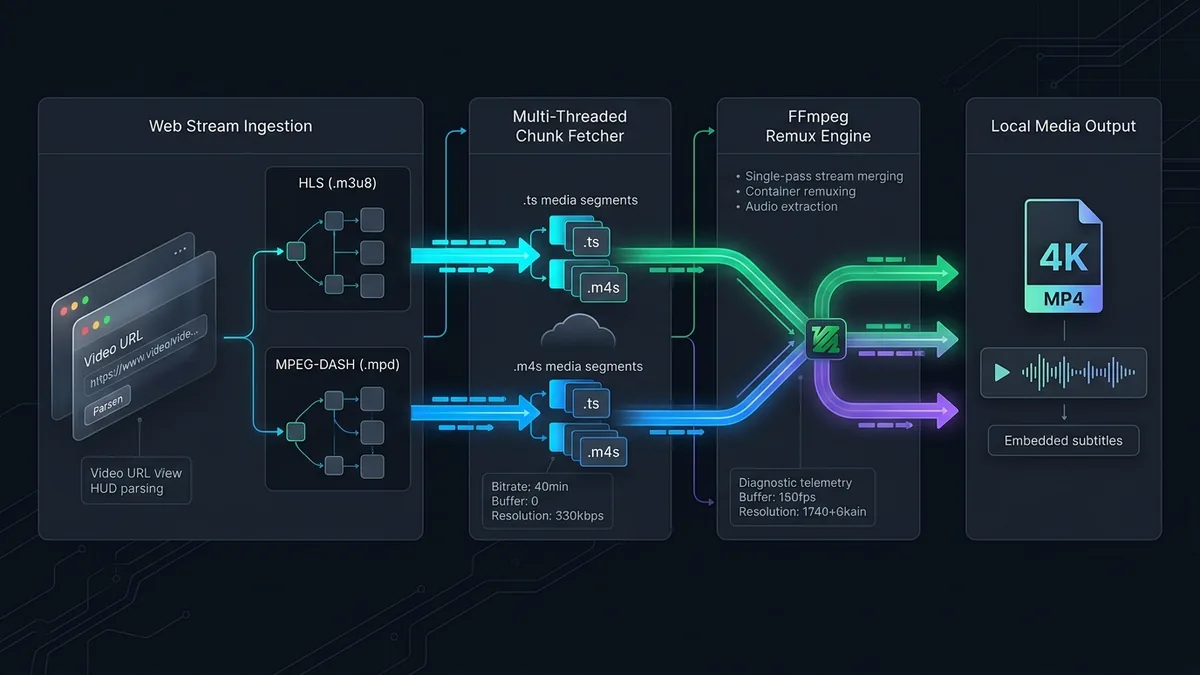
Head-to-Head Comparison: yt-dlp vs. GUI Downloaders
| Feature / Metric | yt-dlp (Command Line) | 4K Video Downloader Plus (GUI) | Allavsoft (GUI + Converter) |
|---|---|---|---|
| Licence model | Free, open source | Free tier plus paid licences | Free trial plus paid licences |
| Ease of Setup | Requires Terminal + FFmpeg PATH setup | Instant 1-Click Installer | Instant 1-Click Installer |
| Supported Websites | 1,800+ Sites (Community updated) | Major platforms (YouTube, Twitch, Vimeo) | 1,000+ Niche & Educational portals |
| Visual Playlist Checkboxes | No (Requires --playlist-items flags) | Yes (Visual thumbnail selector) | Yes (Batch queue checklist) |
| Built-in Format Transcoder | Via manual FFmpeg post-processor flags | Basic (MP4, MKV, MP3, M4A, OGG) | 150+ Device & Editing Presets |
| SponsorBlock Integration | Yes (--sponsorblock-remove all) | No | No |
| Private Login Handling | Via --cookies-from-browser flag | Built-in GUI Web Browser | Browser cookie import + Recorder |
Why Technical Users Love yt-dlp (And How It Works)
Originally forked from the stalled youtube-dl project, yt-dlp is the fastest-moving open-source media extractor in existence. Because hundreds of developers contribute to its GitHub repository daily, when a major streaming site updates its JavaScript player throttling or signature cipher, yt-dlp usually patches the issue via yt-dlp -U within hours.
Furthermore, yt-dlp exposes powerful flags that commercial GUI tools rarely implement:
- SponsorBlock Segment Removal: Adding
--sponsorblock-remove sponsorautomatically queries the crowdsourced SponsorBlock database and cuts out baked-in ad reads from downloaded videos. - Zero-Config Browser Cookie Theft Prevention: Instead of typing your password into a third-party app, passing
--cookies-from-browser firefoxreads your active local session token to grab age-restricted or member-only lectures safely.
Essential yt-dlp Cheat Sheet for Beginners
If you have both yt-dlp and ffmpeg installed on your system path, these three commands cover 95% of use cases:
# 1. Download best 4K/1080p video + audio merged into a standard MP4 container:
yt-dlp -f "bv*[ext=mp4]+ba[ext=m4a]/b[ext=mp4]" "VIDEO_URL"

# 2. Extract highest quality 320k MP3 audio with embedded thumbnail and metadata:
yt-dlp -x --audio-format mp3 --audio-quality 0 --embed-thumbnail --add-metadata "VIDEO_URL"

# 3. Download an entire playlist with numbered filenames and English subtitles:
yt-dlp --write-subs --sub-lang en -o "%(playlist_index)s - %(title)s.%(ext)s" "PLAYLIST_URL"
Where Graphical (GUI) Downloaders Still Win
Despite yt-dlp’s technical superiority, terminal commands are frustrating when you need visual feedback or selective queue management:
- Visual Selective Playlist Picking: If a university course playlist has 80 videos and you only want 14 specific lectures, counting index numbers (
--playlist-items 2,5,9,14-18) in a terminal is tedious. GUI apps like Allavsoft and 4K Video Downloader Plus render a visual checklist with video durations and thumbnails. - All-in-One Editing Codec Conversion: Video editors who need downloaded web clips converted immediately into Apple ProRes, DNxHD, or constant-framerate H.264 for Premiere Pro can automate the entire pipeline in one click inside Allavsoft, or pair their downloads with HandBrake.
- Zero Dependency Maintenance: On Windows and macOS, GUI apps bundle their own pre-compiled ffmpeg and atomicparsley libraries internally, meaning non-technical users never encounter cryptic
"ERROR: Postprocessing: ffprobe and ffmpeg not found"terminal failures.
Verdict: Which Should You Choose?
- If you are comfortable with a terminal: Install
yt-dlpandFFmpeg(or use a free open-source GUI wrapper like Stacher or Parabolic). You will get the fastest parser updates and highest customization without spending a cent. - If you want a hassle-free desktop utility with built-in format conversion: Read our Allavsoft Review for multi-site educational archiving and 150+ conversion presets, or choose 4K Video Downloader Plus for a sleek, modern YouTube playlist manager.
Disclosure
Some outbound links on this page may be affiliate links. If you buy through them, UtilRank may earn a commission at no extra cost to you. Commissions do not influence which tools are included or how they are described. Read our affiliate disclosure and editorial policy.
Sources and verification
This guide gives general technical background and links to UtilRank reviews. The general explanations are not tied to one source page, so confirm details in the documentation of the tool you use. The tool descriptions come from the UtilRank reviews below, which in turn use the vendors’ own descriptions.
Looking for in-depth evaluations of the tools mentioned in this guide? Check out our hands-on reviews: