Claude Design vs Figma AI: Generative UI Prototyping and Code Export Architecture Compared (2026)
A research-based comparison of Claude Design (Artifacts UI) and Figma AI. Prompt-to-component velocity, design token integration, interactive state simulation, and clean React/Tailwind code export examined.
The design-to-code continuum has reached a decisive architectural fork. For over a decade, digital product teams followed an unbroken linear workflow: product managers wrote specifications, UI/UX designers constructed static vector layouts in design canvases, and frontend engineers manually translated those frames into semantic code, design tokens, and stateful components.
The introduction of generative artificial intelligence has dissolved this boundary from two opposing directions:
- The Code-First Generative Paradigm (Claude Design / Artifacts): Anthropic leverages frontier multimodal LLMs (Claude Sonnet and Opus) to generate functional, live-rendered interactive software prototypes in sandboxed client-side iframes directly from natural language prompts and image wireframes. This velocity mirrors the development shift detailed in our AI Coding Assistants Benchmark, where LLMs generate immediate syntax rather than static visual specifications.
- The Canvas-First Generative Paradigm (Figma AI): Figma embeds generative intelligence directly inside its vector canvas, enabling designers to summon complex Auto Layout frames, generate realistic mock datasets, create component variants, and translate design systems without leaving the visual canvas.
This guide provides a research-based comparison of Claude Design and Figma AI. We analyze their prompt-to-prototype generation pipelines, component architecture, developer handoff mechanisms, and workflow constraints based on official vendor specifications, technical documentation, and product releases as reviewed in October 2026.
How this comparison was made
- This is a research-based comparison, not a lab test. We did not run stopwatch speed tests or synthetic prompt quality competitions across teams, so there are no speculative ratings or benchmark scores here.
- Every factual claim comes directly from official product documentation, release notes, and developer guides from [Anthropic](https://anthropic.com) and [Figma](https://figma.com) as read in October 2026. Where a vendor does not state an architectural parameter or feature limit, we write "not stated".
- We do not publish prices. Subscription tiers, team seat licenses, token generation quotas, and enterprise add-ons change over time and differ by currency. Each section provides direct links to the vendors' official pricing pages so you can review current terms directly.
Quick answers
Which tool fits which engineering priority
- Developer-led rapid prototyping: Claude Design excels when developers or technical founders need to build, test, and iterate on fully functioning React and Tailwind UI components with working client-side state in seconds.
- Design systems and vector typography: Figma AI is unmatched when teams require native Auto Layout vector frames, pixel-level typography controls, variable design tokens, and seamless shared component libraries across large product organizations.
- Complex functional logic: Claude Design allows mocking realistic state transitions, calculations, interactive filters, and simulated backend API payloads directly inside executable JavaScript.
- Cross-functional design critique: Figma AI operates within Figma's collaborative multiplayer canvas, allowing real-time cursor collaboration, canvas comments, and version branching.
Critical workflow trade-offs
- Canvas vs Code gap: Generating code in Claude does not produce editable vector layers in Figma. Conversely, generating frames in Figma requires Dev Mode and engineer review before turning into production code.
- Design system governance: Claude generates styling on an ad-hoc basis unless strictly constrained by a detailed prompt system prompt or token list; Figma AI natively enforces existing team variables and color styles.
- Execution sandbox limits: Claude Artifacts run in isolated sandboxed iframes without external npm package installations beyond standard libraries (React, Lucide icons, Tailwind CSS, Recharts).
1. Generation Pipeline: Sandboxed Iframe vs Vector Canvas
The foundational divergence between Claude Design and Figma AI lies in their underlying runtime and rendering engines.

Claude Design: The Artifact Execution Pipeline
Anthropic’s Claude interfaces with UI creation through Artifacts, a dedicated side-by-side workspace interface introduced in Claude 3.5. When prompted to generate a user interface, Claude executes a structured sequence:
- Reasoning & Layout Decomposition: Claude parses user requirements into semantic UI hierarchies, identifying layout grids, component boundaries, and reactive states.
- Standardized Code Emission: The model emits standalone React functional components utilizing Tailwind CSS utility classes and Lucide React icon vectors.
- Client-Side Iframe Rendering: The code is transmitted to a sandboxed client-side browser iframe that mounts React dynamically, compiling JSX on the fly.
- Interactive Verification: The user can immediately click buttons, enter input fields, switch tabs, and observe real state mutations inside the browser.
Figma AI: The Native Vector Node Pipeline
Figma embeds generative AI directly into its proprietary WebGL vector rendering engine:
- Canvas Context Awareness: Figma AI inspects surrounding canvas frames, active library variables, and design tokens to maintain visual continuity.
- Auto Layout Node Synthesis: Rather than producing code, the model outputs native Figma scene nodes—frames, text layers, vector paths, and Auto Layout constraints (
flex-direction,gap,padding). - Design System Variable Binding: Colors, corner radii, and typography scales are mapped directly to defined Figma local variables and team component libraries.
- Vector Manipulability: Designers can ungroup, nudge, resize, and re-theme every individual element using familiar vector editing controls.
2. Component Architecture & Code Export Fidelity
How each system structures components determines how readily engineering teams can transition from prototype to production.
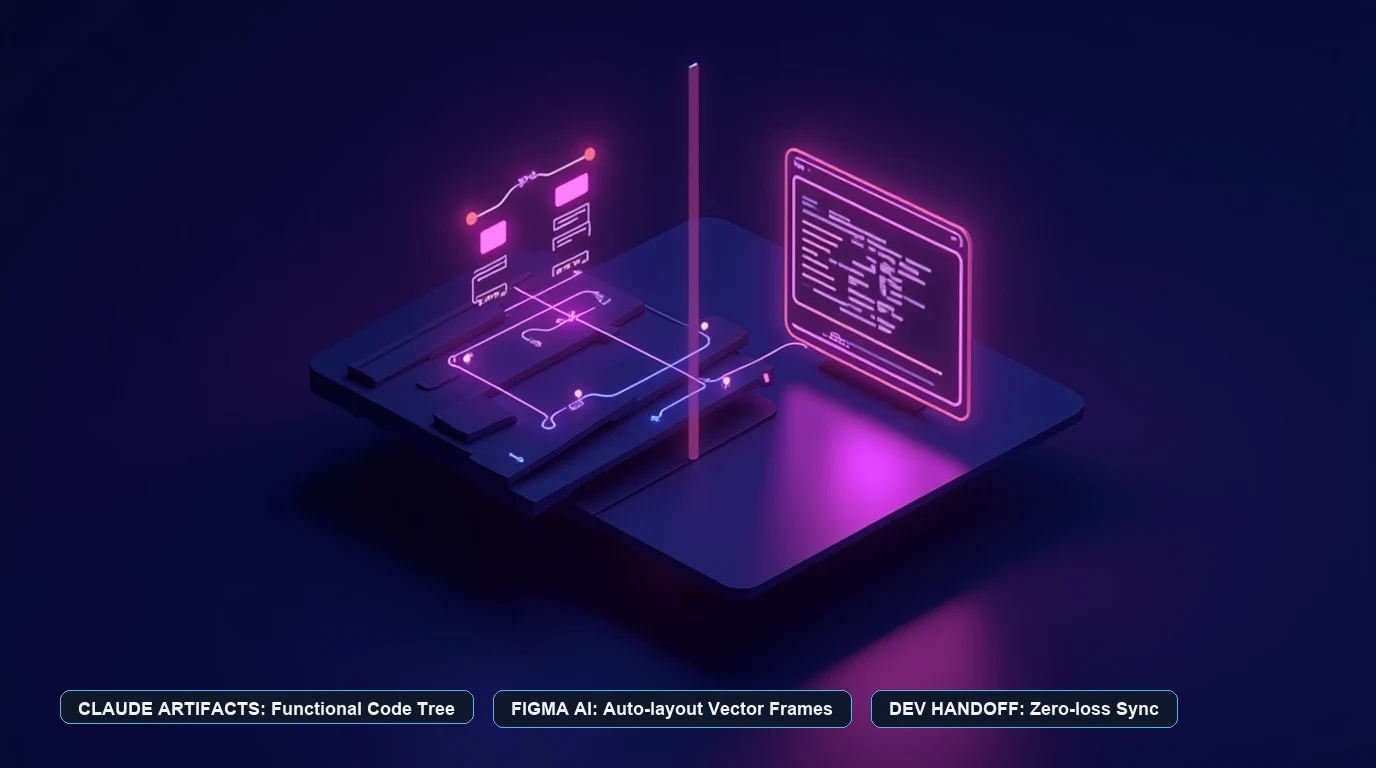
Claude Design Component Characteristics
- Direct Source Code: Emits production-grade JSX, TypeScript types, and Tailwind CSS classes that can be copied directly into modern frontend repositories (Next.js, Vite, Remix).
- Embedded State Logic: Components feature native JavaScript handlers, mock arrays, and client-side validation logic without external orchestration.
- Design Token Limitations: Unless provided with a strict Tailwind configuration or CSS variables file in the prompt, Claude generates arbitrary Tailwind shades (
bg-slate-900,text-indigo-600) that may drift from internal corporate design systems.
Figma AI Component Characteristics
- Design System Fidelity: Figma states that its AI features natively integrate with shared component libraries, instantiating approved design variants (buttons, cards, headers) rather than raw unlinked frames.
- Auto Layout Rigor: Generated layouts respect responsive constraints, allowing designers to resize frames to test tablet, mobile, and desktop breakpoints without manual realignment.
- Dev Mode & Code Connect: Translating Figma AI frames into code relies on Figma Dev Mode. With Code Connect, enterprise teams can map Figma components directly to their production React, iOS, or Android codebase, displaying exact production import statements in the inspector.
3. Workflow Decision Framework: When to Use Which Tool
Choosing between Claude Design and Figma AI depends on the role, project stage, and handoff requirements of the team.

| Evaluation Dimension | Claude Design (Artifacts) | Figma AI (Canvas) |
|---|---|---|
| Primary Output | Executable React JSX + Tailwind CSS | Editable vector scene nodes & Auto Layout |
| Execution Environment | Sandboxed client-side browser iframe | Multi-tenant WebGL vector canvas |
| Interactivity Level | Fully functional (state, forms, hooks) | Prototype noodle transitions & smart animate |
| Design System Binding | Prompt-guided (Tailwind class convention) | Native variable and library token binding |
| Developer Handoff | Direct code copy / git import | Dev Mode, inspect panel, Code Connect |
| Multiplayer Collaboration | Asynchronous conversation sharing | Real-time multiplayer canvas & live cursors |
| Export Formats | .jsx, .tsx, .html, .svg | .fig, .svg, .png, .pdf, CSS snippets |
| Pricing Model | Included in Claude Free / Pro / Team / API | Included in Figma Starter / Professional / Org / Enterprise |
4. Feature-by-Feature Comparison
Prototyping Velocity
- Claude Design: Unmatched speed when creating complex data tables, analytical dashboards, multi-step wizards, or interactive calculators. A developer can type a three-sentence prompt and receive a working dashboard with interactive filter tabs and sorting within 15 seconds.
- Figma AI: Superior velocity when assembling cohesive multi-screen user flows (e.g., Onboarding > Home > Profile > Settings) where visual harmony, Auto Layout, and consistent component variants across screens are paramount.
Fidelity to Design Systems
- Claude Design: High styling flexibility but susceptible to design drift. If your team requires specific spacing tokens (e.g., 4px baseline grid) or proprietary color palettes, you must feed custom CSS or Tailwind configuration files into Claude’s system prompt. Teams deploying prompt-driven generative UI pipelines at scale often combine system prompts with automated testing frameworks, as examined in our LLM Evaluation & Observability Platforms Guide.
- Figma AI: Native design system governance. Figma states that enterprise teams can train or constrain AI suggestions to their published design system libraries, preventing off-brand color choices or unlinked component sprawl.
Production Readiness of Output
- Claude Design: Outputs standard, human-readable React and Tailwind code. While production code requires refactoring into reusable repository files and connecting to real backend API endpoints, the layout structure and CSS are immediately functional.
- Figma AI: Outputs vector designs. Transforming designs into production code requires frontend engineering implementation, aided by Dev Mode and Code Connect to bridge the gap.
Which one fits your team?
Use this decision guide to determine the right tool for your workflow:
- If you are a solo developer or technical founder building an MVP: Choose Claude Design. Generating functional React and Tailwind prototypes saves weeks of manual UI coding and allows user testing immediately.
- If you are a dedicated product designer collaborating with a design team: Choose Figma AI. Staying inside the vector canvas ensures your work remains connected to team variables, Auto Layout standards, and component libraries.
- If your product requires complex dynamic state calculations (e.g., financial dashboards, mortgage calculators): Choose Claude Design. Simulating real arithmetic and state changes in code is significantly faster than wiring hundreds of prototype frames in Figma.
- If your product requires precise typography, multi-brand theming, and responsive vector assets: Choose Figma AI. Canvas-based vector control remains the gold standard for visual design precision.
- If your creative workflow requires high-fidelity brand campaign imagery, packaging mockups, or in-image marketing typography: Review our AI Image Generators for Brand Design Benchmark.
Disclosure
UtilRank is an independent research publication. We maintain editorial independence and evaluate software tools based exclusively on verified technical documentation, vendor whitepapers, and verifiable product capabilities. To learn more about our methodology and affiliate practices, see our editorial disclosure.
Sources and verification
Every technical claim, specification, and workflow attribute in this guide was sourced directly from official vendor documentation and release materials read in October 2026:
- Anthropic PBC:
- Claude Artifacts Overview and Interactive Preview Documentation: anthropic.com
- Claude 3.5 Sonnet Model Card and Frontend Code Generation Benchmarks: anthropic.com
- Anthropic Pricing and Plan Tiers: anthropic.com
- Figma, Inc.:
- Open-Source Architectural Standards:
- React Documentation & JSX Specification: github.com
- Tailwind CSS Utility Framework Architecture: github.com
Looking for in-depth evaluations of the tools mentioned in this guide? Check out our hands-on reviews: