GearUP Booster vs. ExitLag (2026): In-Depth Ping Booster Comparison
A comparison between GearUP Booster and ExitLag. Research-based, not lab-tested.
When ISP peering bottlenecks cause evening ping spikes and packet loss in competitive games, two Game Private Networks (GPNs) dominate the market in 2026: GearUP Booster and ExitLag. While both utilities bypass congested public internet exchanges using multi-path packet duplication, they are built for distinctly different gamer profiles.
This comparison summarizes what the vendors state about GearUP Booster and ExitLag, and what our reviews of each say. We did not run latency or resource tests ourselves, so there are no ping or RAM numbers here.
Choose GearUP Booster If:
- You play across multiple platforms including PC, PlayStation 5, Xbox Series X/S, Nintendo Switch, and Mobile.
- You want a simpler client with less manual tuning and console support listed by the vendor.
- You prefer a lightweight, one-click Adaptive Intelligent Routing (AIR) client with zero manual setup.
- You need to fix Strict NAT Type 3 issues on home consoles via PC LAN sharing without buying a new router.
Choose ExitLag If:
- You play exclusively on Windows PC (or mobile) and never game on home consoles.
- You are an advanced network tweaker who wants manual control over 4 simultaneous UDP + 4 TCP routes and live hop traceroutes.
- You have two physical internet connections at home (e.g., Fiber + 5G USB tethering) and want automatic Multi-Internet failover.
- You want built-in Windows 11 CPU thread priority and power-plan FPS tweaks inside the same app.
Head-to-Head Specification Matrix
| Feature / Technical Metric | GearUP Booster | ExitLag (v5) | Category Winner |
|---|---|---|---|
| Global Server Backbone | 7,500+ Nodes (2,500+ Games) | 1,000+ Bare-Metal Servers (2,000+ Games) | GearUP Booster (Broader reach) |
| Multipath Packet Duplication | Dual-Tunnel AIR (2 simultaneous paths) | Quad-Path (Up to 4 UDP + 4 TCP paths) | ExitLag |
| Console Boosting (PS5/Xbox/Switch) | Yes (PC LAN Share + HYPEREV Box) | No (Windows, iOS & Android only) | GearUP Booster |
| Manual Hop & Protocol Control | Basic (Region & Node lock) | Advanced (Live traceroute & QoS flags) | ExitLag |
| Dual-ISP Bonding (Failover) | Mobile only (Wi-Fi + 5G switch) | Yes (Bonds 2 PC network adapters) | ExitLag |
1. Routing Architecture
Both applications solve the same core problem: bypassing congested public ISP peering exchanges via dedicated Tier-1 fiber tunnels. However, their packet redundancy approaches differ slightly:
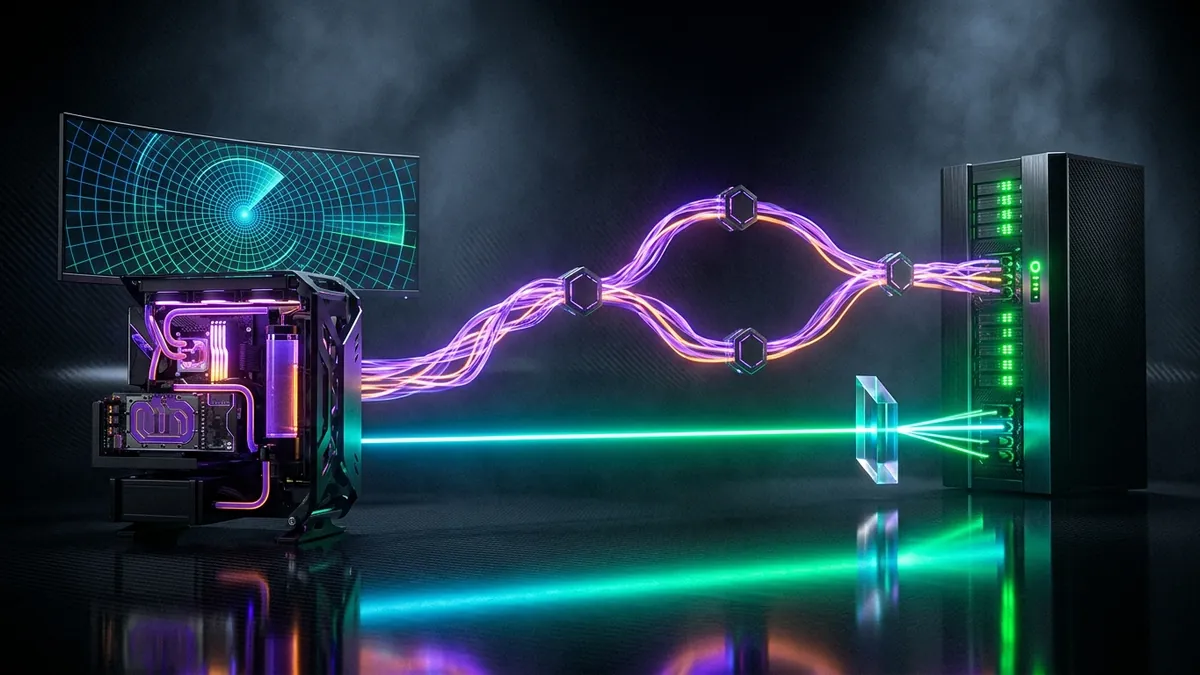
- GearUP Booster’s Adaptive Intelligent Routing (AIR): Automatically establishes a primary and secondary tunnel. Outgoing game UDP packets are mirrored across both routes and deduplicated at the final edge server. Because it only clones packets twice, it keeps local upload bandwidth overhead minimal while still neutralizing packet loss spikes.
- ExitLag’s 4-Path Multipath Engine: Allows users to crank packet duplication up to 4 simultaneous UDP routes and 4 TCP routes. While 4-way cloning provides extra redundancy, we have not measured how many routes a typical connection needs.
2. Platform Ecosystem: PC Purist vs. Cross-Platform Hub
This is the single biggest differentiator between the two suites:

- ExitLag is strictly a PC and mobile utility. If you play EA Sports FC, Call of Duty, NBA 2K, or Splatoon 3 on PlayStation 5, Xbox Series X/S, or Nintendo Switch, ExitLag cannot optimize your console without complex third-party virtual router workarounds.
- GearUP Booster treats consoles as first-class citizens. Clicking a console title inside the GearUP Windows app instantly turns your PC into a local LAN proxy gateway. Entering the displayed IP and Gateway numbers into your PS5 or Switch network menu routes all console traffic through GearUP’s fiber backbone and converts Strict NAT Type 3 into Open/Moderate NAT Type 2 in under two minutes.
3. System Resource Overhead & Interface Usability
In competitive shooters where 1% Low FPS stability dictates input latency, background software bloat matters:
- GearUP Booster is described by the vendor as a lightweight client. Its interface is designed for instant one-click execution—pick your game, pick your server city, and minimize it.
- ExitLag v5 offers real-time visual traceroute graphs, AI route probing overlay, and integrated Windows FPS Boost module. Networking enthusiasts love seeing the exact millisecond latency of every intermediate hop, while casual players may find the interface overly dense.
Exclusive Coupon
Save 10% on GearUP Booster Plans
UtilRank readers can apply our verified promotional coupon at checkout to receive an instant 10% discount on all eligible monthly and annual subscription plans.
Final Verdict: Which GPN Should You Buy in 2026?
- Best fit for Multi-Platform (PC + Console): GearUP Booster
The vendor lists console support (PS5, Xbox, Switch) and a one-click client, so GearUP Booster fits players who also game on consoles. We have not measured ping differences between the two. - Best fit for PC-only customization: ExitLag
If you play exclusively on a Windows PC, want manual control over 4-way UDP/TCP node combinations, or rely on dual-ISP hardware failover during paid esports tournaments, ExitLag is the one to look at.
Disclosure
Some outbound links on this page may be affiliate links. If you buy through them, UtilRank may earn a commission at no extra cost to you. Commissions do not influence which tools are included or how they are described. Read our affiliate disclosure and editorial policy.
Sources and verification
The tool descriptions come from the UtilRank reviews below, which in turn use the vendors’ own descriptions.
Looking for in-depth evaluations of the tools mentioned in this guide? Check out our hands-on reviews: